
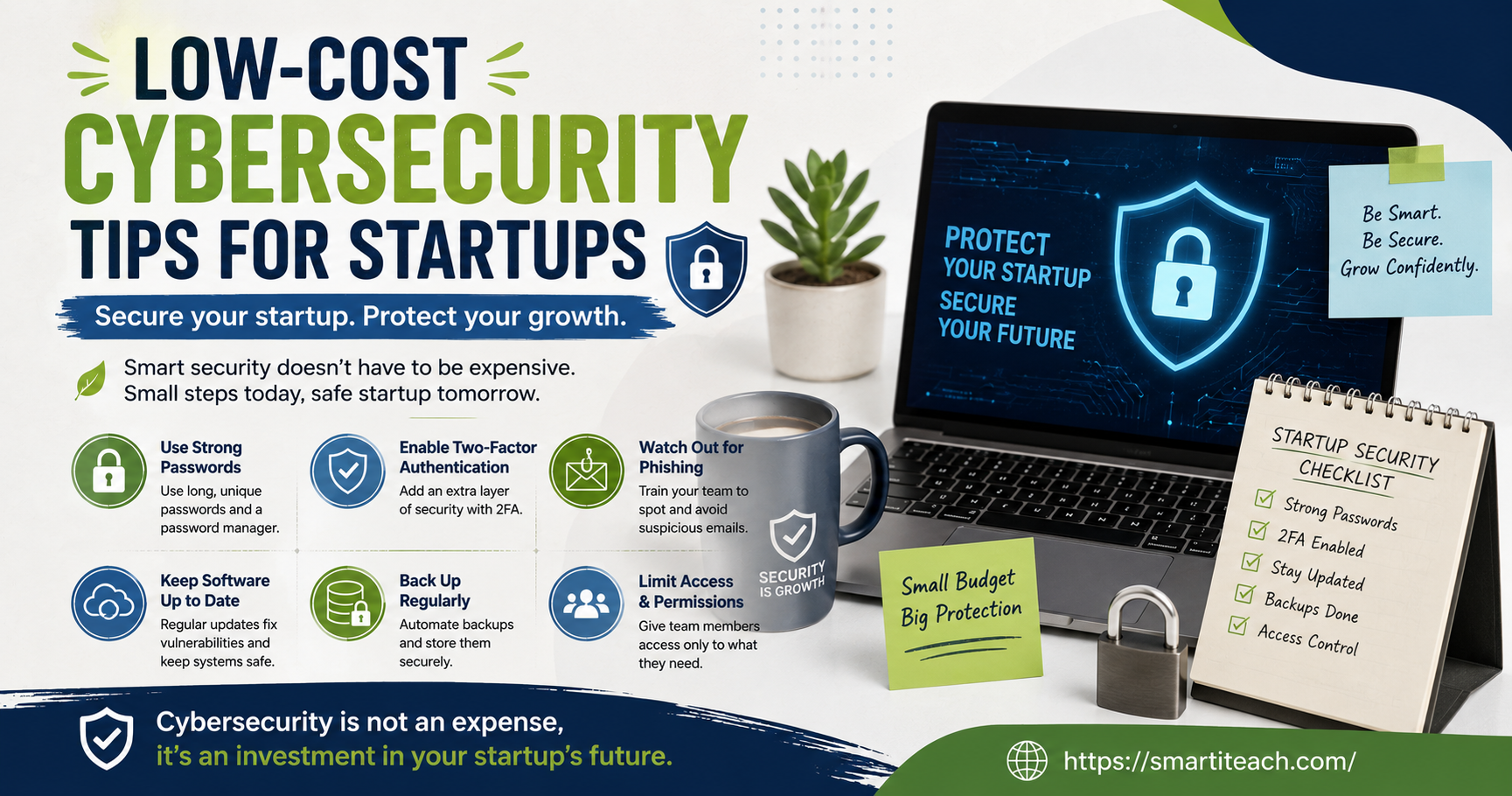

I’ve sat in on enough founder conversations to notice a pattern. Ask about the marketing budget and people have opinions ready. Ask what happens if the customer database gets breached tomorrow and the room goes quiet. Somebody usually mumbles “we’ll figure it out.”
That’s the gap this article is trying to close. Not with a list of enterprise tools nobody can afford, just the stuff that actually stops most attacks against small companies, at a cost that won’t make your co-founder wince.
Small Companies Get Hit More Than People Assume
There’s this idea floating around that hackers only bother with big companies because that’s where the money is. Doesn’t really hold up. A lot of attacks are automated — bots crawling the internet looking for weak logins, old software versions, exposed files. They’re not picking you out personally. They’re catching whoever left the door open.
And startups leave a lot of doors open, mostly by accident:
One person is doing five jobs, so security gets whatever attention is left over, which is usually none. New tools get added every month without anyone tracking who has access to what. Budget goes to the product first, always. And there’s this quiet assumption that “we’re too small to matter,” which is precisely the assumption that makes small businesses easy targets in the first place.
None of the fixes below require a security hire. Most of them take an afternoon.
Get a Password Manager Before Anything Else
If this article only gets you to do one thing, make it this one.
Reused passwords are still the reason a huge number of small businesses get broken into. Someone picks something like “Startup2023!” and uses it on six different accounts. That password leaks somewhere completely unrelated — some random site gets breached — and now your Stripe login or your CRM is exposed too.
A password manager fixes this in an afternoon. Bitwarden has a free tier that’s genuinely good, and their team plans run a few dollars a month per person. That’s a rounding error compared to what a breach costs.
Turn on two-factor authentication everywhere it’s offered too — email, banking, GitHub, cloud storage, all of it. It’s usually free, takes two minutes per account, and it stops most account takeover attempts even when a password does get out.
Update Your Software. Actually Do It.
I know this one sounds too simple to bother writing about, but outdated software is still one of the most common ways small companies get hit.
Here’s the thing people miss: when a company patches a security flaw, they publish notes about it. Attackers read those notes. They know exactly which older versions are vulnerable and go looking for businesses still running them.
If your site runs on WordPress or a similar platform, old plugins are a classic weak spot. Turn on auto-updates wherever you can. If you can’t automate it, put a weekly reminder on your calendar. That’s it. That’s the whole fix, and it costs nothing but ten minutes a week.
Back Up Your Data, Then Test That the Backup Works
Ransomware doesn’t care that you’re a five-person team. It locks your files and asks for money either way, and without backups, recovering from that can genuinely end a small business.
The fix is cheap. Backblaze runs a few dollars a month. Google Workspace and Microsoft 365 both include backup options that most people never turn on. Set it, forget it, move on.
The part everyone skips is testing it. A backup nobody’s ever restored from is just a hope, not a plan. Once every few months, actually pull a file back from backup and make sure it opens properly.
There’s an old rule worth following here: three copies of your data, on two different kinds of storage, with at least one copy kept somewhere off-site. Simple, cheap, and it’s saved more small businesses than people realize.
Talk to Your Team About Phishing
Phishing is still the number one way small businesses get broken into. Not because people are dumb — because the emails have gotten really convincing. Fake invoices. Fake “urgent” messages from the CEO asking for a wire transfer. Fake login pages that look identical to the real thing.
You don’t need a training platform for this. A short conversation once a quarter works fine. Show a couple of real phishing examples, agree on one rule as a team — if something feels urgent or involves money or passwords, verify it a second way before acting on it — and move on. CISA has free templates online if you want something to build the conversation around.
The point isn’t to make everyone paranoid about every email. It’s just building a habit of pausing for two seconds before clicking.
Don’t Hand Out Admin Access to Everyone
Startups tend to give everyone access to everything because it’s faster than setting up permissions properly. Fine at first. Less fine when someone leaves the company, or an account gets compromised, or someone accidentally deletes a folder they didn’t need access to in the first place.
The rule here is simple: give people access to what their role actually needs, nothing extra. Google Workspace, Slack, GitHub, AWS — all of them let you set this up for free, you just have to actually do it. Check access levels every few months, especially right after someone leaves.
This isn’t about not trusting your team. It’s about limiting how much one mistake or one compromised login can actually touch.
Lock Down Wi-Fi and Remote Work
If your team works remotely, your company data is only as safe as whatever network someone happens to be connected to. Coffee shop Wi-Fi, an old home router nobody’s touched the settings on, a personal laptop with zero protection installed — all easy ways in.
A few cheap fixes here. Require a VPN for anyone connecting from a public or unfamiliar network — decent VPNs run a few dollars a month per person. Make sure home routers are using WPA3 if they support it, and that nobody’s still running the default router password from the box. And put basic antivirus software on every device that touches company data. Several options have affordable small-business plans.
None of it needs enterprise infrastructure. It just needs someone to actually check that the basics are in place instead of assuming they are.
Turn On Encryption You’re Probably Already Paying For
Encryption sounds more technical than it usually is. Most of the tools startups already use have it built in — Google Drive and OneDrive encrypt by default, Stripe handles it automatically on transactions. You just need to make sure it’s actually switched on.
Where people slip up is local storage — laptops, external drives, spreadsheets sitting on someone’s desktop with customer data in them. Both Windows and Mac have free full-disk encryption built in (BitLocker and FileVault). Takes a few minutes to turn on, and if a laptop gets lost or stolen, whatever’s on it stays unreadable without the right login.
Use Free Tools to Keep an Eye on Things
You don’t need a 24/7 security team to catch problems early. A few free tools do a decent job:
Have I Been Pwned checks whether your company’s email domains have shown up in known data breaches, and it can notify you automatically going forward. Google Alerts can be set up to flag mentions of your company name next to words like “breach” or “leak.” Google Workspace and Microsoft 365 both include dashboards that flag odd login attempts or unusual file sharing, usually at no extra cost.
Nobody’s expecting a startup to run a full monitoring operation. Just enough to catch a warning sign before it turns into an expensive mess.
Write Down What Happens If Something Goes Wrong
Most startups have no plan for the day something actually goes wrong, which means when it happens, everyone scrambles and mistakes pile up under pressure. You don’t need a long document. One page is enough.
Who gets told first if something suspicious turns up? Whose passwords get changed immediately? Who talks to affected customers, and what do they say? Who’s responsible for cutting off access or disconnecting affected systems?
Write it down, share it with whoever’s on the team, and check it again every six months or so. Having even a rough plan turns a chaotic scramble into something manageable.
Check Out Any Third-Party Tool Before You Connect It
Startups run on third-party software — CRMs, payment tools, marketing platforms, analytics dashboards. Every one you connect becomes a potential way in if that vendor gets breached. This happens more than people think. A single vendor breach can ripple out to thousands of businesses that did nothing wrong themselves.
Before adding a new tool, a few quick questions cost nothing to ask. Does the vendor publish anything about their security practices, like SOC 2 or ISO 27001 compliance? Do they support two-factor authentication? Have they had a public breach before, and how did they handle it?
This isn’t about avoiding new tools. It’s about picking them with your eyes open.
Make It a Habit, Not a One-Time Fix
The startups that actually handle this well aren’t the ones with the biggest budgets. They’re the ones that treat security like a habit instead of a box to check once and forget about. A quarterly check on who has access to what. A weekly reminder to update plugins. A short conversation about whatever phishing trend is going around that month.
None of it is exciting. None of it will show up on a pitch deck. But it’s what quietly keeps a small company standing when something inevitably goes wrong.
Cheap doesn’t mean weak here. Unique passwords, updated software, backups you’ve actually tested, a team that knows what a bad email looks like, and access limited to people who genuinely need it — stack those together and you’ve closed off the majority of what actually gets startups breached.
Pick one thing off this list and do it this week. Not all of them. Just one. Slow and consistent beats a perfect plan that never gets off the ground.




[…] so. Someone in my office said “just throw it in ChatGPT” a while back like it was the most obvious sentence in the world, and I smiled and nodded and […]
[…] than one account, that’s the biggest hole in your security right now. Not phishing, not some elite hacker group. Just that one password, copied and pasted, sitting on five or ten […]
[…] I go back to cloud tools? Honestly, no. Not for anything involving a client or anything I wouldn’t want sitting on […]