
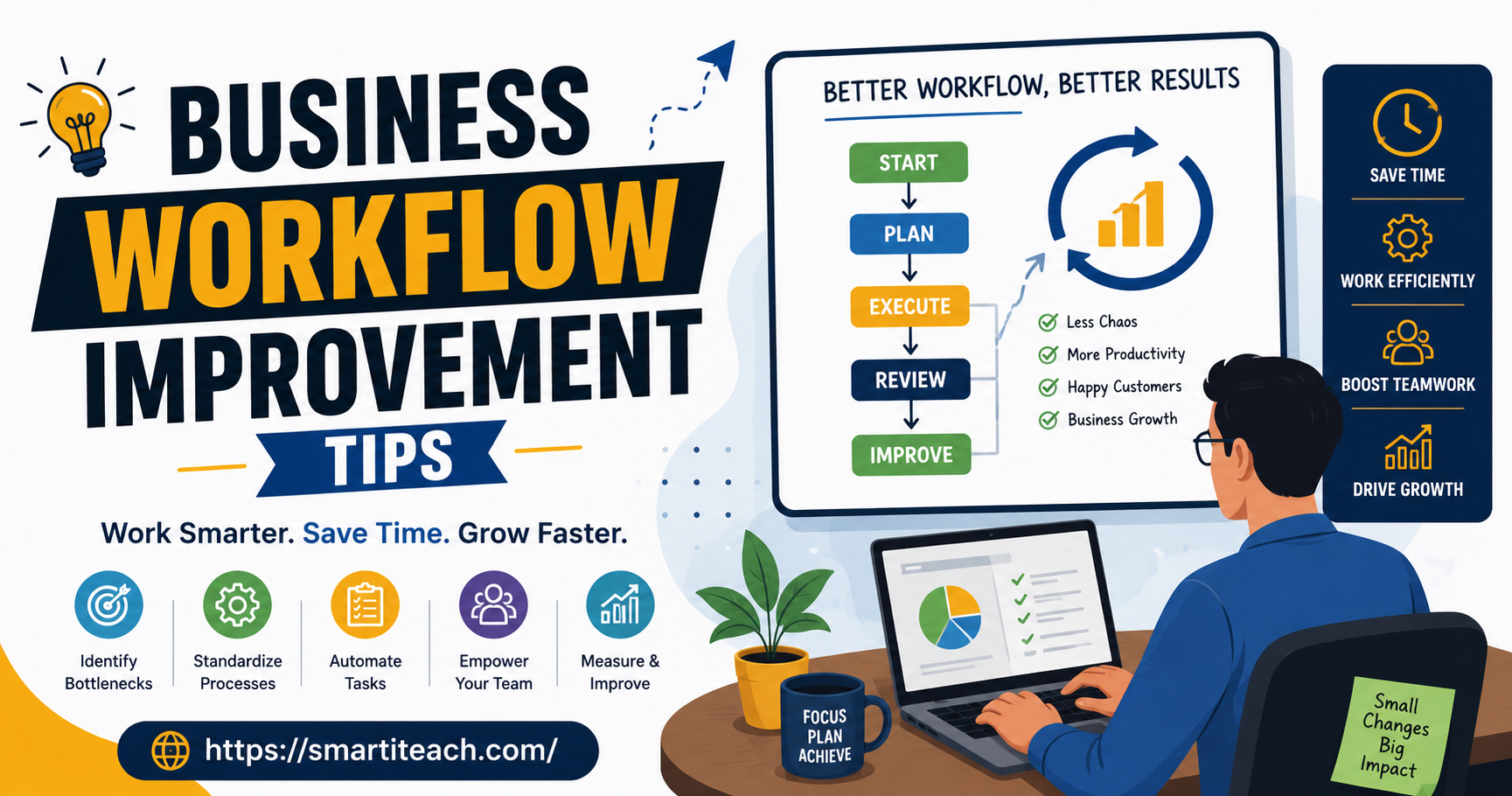

I remember sitting in a meeting a few years back where someone finally just said what everyone in the room had clearly been thinking for months. Why does this approval take five people and eleven days. Nobody really had an answer. Not a good one anyway. The process had just sort of grown that way over time, one extra step tacked on here, one more sign-off added there, until it turned into this thing nobody had actually sat down and designed on purpose. That’s usually how broken workflows happen, honestly. It’s rarely one bad decision. It’s a slow pile-up of small ones that nobody stopped to question.
If your team feels constantly busy but somehow never catching up, the problem is probably not effort. People are working plenty hard. The workflow itself is quietly fighting them. Here’s what I’ve actually seen help, not the version that sounds good in a slide deck.
Watch the work happen, don’t just redraw the org chart
Most places try to fix a broken workflow by moving boxes around — who reports to who, which department owns what. That almost never touches the real problem. What actually works is watching how a task moves through the building, or through the software, step by step, exactly as it happens. Not how it’s supposed to happen according to the process doc nobody’s opened since it was written.
Pick one process everyone complains about. Just one. Follow a single task from the second it starts until it’s genuinely, fully done. Write down every handoff. Every approval. Every “waiting on so-and-so, they’re out till Thursday.” You’ll almost always find a step or two that exists for a reason literally nobody remembers — a rule put in place to fix a problem that stopped existing years ago, still sitting there, still slowing everything down for no reason at all.
It’s a bit tedious, I won’t pretend otherwise. But it’s really the only way to see the workflow as it actually is, instead of the version everyone’s just assuming is true.
Find the actual bottleneck before touching anything
Once you can see the whole thing laid out, something usually jumps out — one spot where everything piles up and just sits there. Maybe it’s one manager who has to personally sign off on every invoice. Maybe it’s a spreadsheet only one person on the team actually knows how to update right. Whatever it is, that’s your bottleneck. And it’s almost never the part people assume.
Here’s the trap. Teams tend to fix whatever looks busiest first, figuring that’s obviously where the slowdown must be. But the busiest-looking part and the real bottleneck aren’t always the same thing, not even close sometimes. Often the actual holdup is somewhere quiet. A step that only takes two minutes of real work but sits completely untouched for three days because nobody’s watching it.
Fix the real bottleneck first. Doing anything else before that is like widening every lane of a highway except the one narrow bridge in the middle. Traffic still jams up at exactly the same spot it always did.
Cut things before you buy new tools
There’s this strong pull toward buying new software the second a workflow starts feeling broken. New project management app, new automation thing, new dashboard with pretty graphs. Sometimes, sure, that’s genuinely what’s needed. But just as often it adds a whole new layer on top of a process that was already too complicated, and now everyone’s learning a new tool on top of a problem that was never actually fixed.
Before adding anything, try subtracting first. Go through every step and ask, bluntly, what would actually break if this step just disappeared tomorrow. A lot of the time the honest answer is nothing. Approval steps in particular tend to outlive the reason they existed — someone left the company, a policy changed years ago, some risk that used to be real just isn’t anymore, but the step stayed because removing it felt like more work than just keeping it around.
Cutting a dead step is usually a bigger win than any software purchase. It costs nothing, it works immediately, and nobody has to sit through a training session to understand it.
Automate the boring stuff, not the judgment calls
Once you’ve trimmed what you can, automation genuinely helps, but it works best on the parts of the job that don’t need an actual brain involved. Data getting copied by hand from one system into another. A reminder email someone types out every single week. A report built the exact same way every month, forever.
Where it goes sideways is when people try to automate decisions that actually need judgment — approving a big expense, handling a weird customer complaint, deciding if some exception applies here. Those still need a person. Trying to automate them usually just creates a different, messier problem that’s honestly harder to untangle than the manual version ever was.
Rough rule I’d go by: if the same task gets done the exact same way every single time, with no real decision in it, automate it. If it needs someone to actually think about context, leave it with a person. At least for now.
Handoffs matter more than the individual tasks do
Most of the wasted time isn’t lost during the actual work. It’s lost in the gap between people — the moment something leaves one person’s hands and just waits for someone else to notice it. A task that only takes two hours of real effort can easily eat up a full week if it sits in three different inboxes along the way, each person assuming someone else is already on it.
Look specifically at those in-between moments. Is it actually clear whose job the next step is? Does the person receiving it know it’s even arrived, or are they finding out by accident when someone finally asks where it is? A lot of workflow pain has nothing to do with the work being difficult. It’s just nobody being sure whose turn it is.
Fixing this doesn’t always mean new software either. Sometimes it’s as simple as agreeing on one single place where handoffs get flagged, instead of everyone relying on scattered emails and chat messages and someone catching someone in the hallway.
People need authority that matches what they’re responsible for
A workflow can look perfectly designed on paper and still fall apart completely if the person actually doing the work has no authority to move it forward on their own. If every small decision has to get escalated up to a manager who’s half the time unavailable or in back to back meetings, the workflow will always drag, no matter how clean the process looks on a whiteboard.
Worth checking honestly here — are there small decisions stuck waiting on approval that could just as easily be made by whoever’s closest to the actual work? Giving someone clear boundaries, here’s what you decide yourself, here’s what still needs a second set of eyes, usually removes more delay than any process redesign ever will.
Measure the workflow itself, not just the end result
It’s tempting to only track final numbers. Orders shipped, tickets closed, revenue in the door. Those matter, obviously, but they don’t tell you where the actual friction lives inside the process that produced them.
Track how long things sit at each stage, not just the total time from start to finish. If you find out a task takes two hours of real work but four days total, you now know almost all four days is just waiting around, not actual effort. That’s a completely different problem than something being genuinely slow to execute, and it needs a completely different fix.
Ask the people doing the work, not just whoever manages them
This one gets skipped constantly, and it shouldn’t. The people actually doing the work every day usually already know exactly where the friction sits, long before it ever shows up on any dashboard or report. They’ve been quietly working around some broken step for months, maybe years, because nobody asked and it was easier to just deal with it than complain.
A short, honest conversation — what’s the most annoying part of your week, what do you find yourself redoing over and over, what are you waiting on constantly — usually surfaces more in twenty minutes than a formal audit turns up in two weeks. People aren’t shy about naming the problem, generally. Nobody just asks them.
Change one thing, watch what happens, then move on
There’s always a temptation to overhaul everything at once once a workflow finally gets attention. New tools, new steps, new approval chain, all rolled out together in one go. This tends to backfire, because when something inevitably breaks afterward, good luck figuring out which change actually caused it.
Change one piece of the process. Give it a few weeks. Actually watch what happens before touching the next thing. Slower, yes, I know. But every change you make this way is one you can genuinely trust, instead of a pile of adjustments that might be helping, or might be quietly making things worse in ways nobody’s even noticed yet.
Where to actually start with all this
You don’t need to redesign your entire business this month. Pick the one workflow people complain about most and just watch it happen, start to finish. Find the real bottleneck, not whatever looks busiest. Cut anything that stopped serving a purpose before you go buying new tools. Fix the handoffs between people before worrying too much about the individual tasks themselves.
Workflow improvement isn’t a thing you fix once and walk away from. It drifts back out of shape over time, same as anything does when nobody’s paying attention to it. Consistent small attention beats one big overhaul that nobody has the energy to repeat six months from now. Pick one workflow. Follow it start to finish this week. You’ll probably find the problem faster than you think, once you actually go looking for it.




[…] your clients already pay you through PayPal, this skips a whole extra platform. The templates won’t win design awards, but the […]