
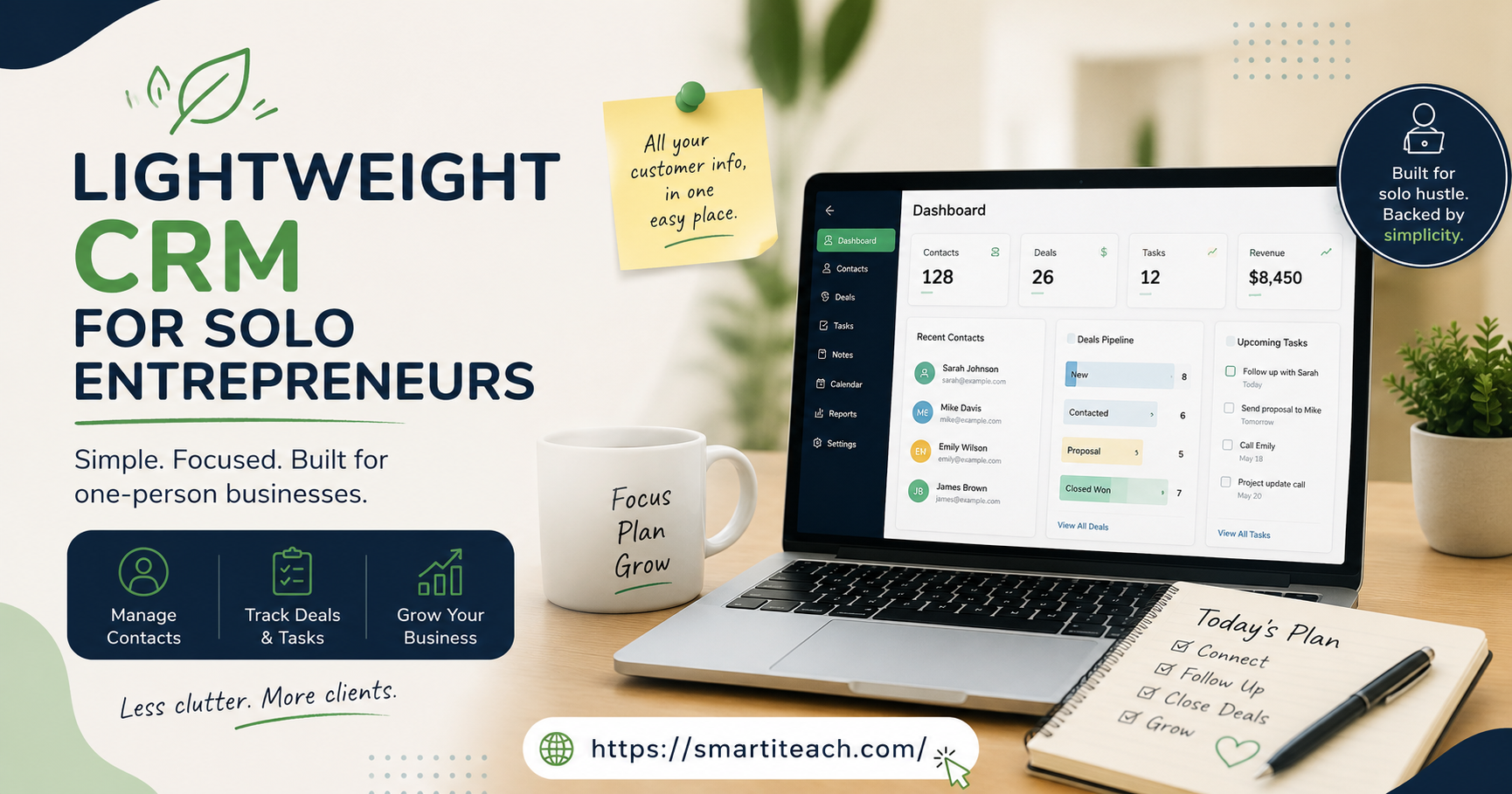

Okay so here’s a confession. I once spent a Saturday morning — coffee gone cold, second cup gone cold too — setting up territory rules in a CRM for a business that had, at the time, six clients. Six. There were no territories. There was me, my kitchen table, and a spreadsheet I’d been avoiding for months. I built the rules anyway because the software kept nudging me toward it, that little onboarding checklist practically begging to be completed. And when I finally looked up from the screen I realized I hadn’t actually talked to a single client that whole morning. That’s the trap. Most CRMs are built for a company that doesn’t exist yet, some imagined future version of your business with a sales floor and a VP of something, and none of that helps you today.
If you’ve ever cracked open a free trial from one of the big names and bailed twenty minutes in, exhausted for reasons you can’t quite explain — yeah. You know the feeling. Pipeline stages nobody will ever touch. Lead scoring for a lead volume that wouldn’t fill a spreadsheet tab. A dashboard that looks like it belongs in an airplane cockpit, dials and gauges everywhere, half of them meaningless to you.
Which is exactly why so many people end up typing “lightweight CRM for solo entrepreneurs” into a search bar at eleven at night. They’re not hunting for more. They already have more than enough. They want less, and they want it to actually work.
What Lightweight Even Means
Let’s actually pin this down, because everyone slaps “lightweight” on their landing page whether it’s true or not.
A genuinely lightweight CRM does three things. Stores your contacts. Tracks where each relationship stands. Reminds you to follow up before you forget — because you will forget, everyone does, that’s not a character flaw, it’s just how memory works when you’re juggling fifteen things at once. Beyond those three? Mostly noise. Nice-to-haves at best.
Here’s a test I actually use, and it’s blunt on purpose. If setup takes longer than an afternoon, it’s not lightweight, full stop, doesn’t matter what the marketing copy says. And if you need to watch a YouTube series just to understand how the pipeline view works — that’s a red flag the size of a billboard. A tool made for one person running their own show shouldn’t require training materials meant for a twenty-person sales floor.
Tools People Actually Stick With
I won’t pretend there’s one single right answer here. It genuinely depends on how you work, what you’re selling, whether you live in your inbox or avoid it like a chore. But a handful of names keep coming up, and not by accident.
Capsule CRM is close to “it just works.” Free plan covers a couple hundred contacts. Pipeline view is dead simple, nothing to configure before you dive in. I’ve recommended it to at least four people this year alone and gotten zero complaints, which — for software — is basically a miracle.
Streak lives inside Gmail. Sounds gimmicky until you remember you already spend six hours a day in your inbox anyway, so why open a whole separate app just to track the same conversations you’re already having?
HoneyBook and Bonsai lean creative-freelancer. They bundle contracts, invoicing, scheduling right alongside the contact tracking. If you’re a photographer or designer or consultant drowning in proposals and payment reminders, honestly, one of these two probably solves three problems at once instead of one.
Folk is the newer one on this list. It treats your CRM like a smarter, shared address book rather than a sales machine with quotas attached. Fits well if the word “pipeline” makes you wince a little, if that’s just not the language of how you deal with clients.
None of these will win an award from an enterprise software blog. Good. That was never the point.
Worth saying too — price shouldn’t be the first filter you use. Everyone says “just check the free plan” and moves on, but the real question is whether the free tier’s contact cap matches where you actually are right now, not where you hope to be next year. If you’ve got forty active relationships and the cap sits at two hundred, you’re fine. Don’t upgrade preemptively just because a pricing page nudged you toward it. Wait until the limit actually pinches. Some months it never does.
Nobody Warns You About the Import
Here’s the part that trips people up way more than picking the actual CRM does: getting your existing mess of contacts into it.
Almost nobody starts from a blank slate. You’ve got a spreadsheet somewhere with half-written notes trailing off mid-sentence. A phone full of numbers with no context — who is “Dave M.” again? A few sticky notes you’ve been meaning to digitize since, what, March? Before committing to anything, grab a small batch — twenty, thirty contacts, doesn’t need to be more — and run the actual import. Not a demo. The real thing, with your messy real data.
Why bother with this extra step? Because a botched import creates duplicates you won’t notice for weeks, it mangles phone numbers into garbage, drops notes into the wrong fields entirely. And cleaning that up after the fact is so much worse than just testing it small first. Fix the mapping, then bring in the rest. Takes twenty extra minutes up front and saves you an entire evening later, trust me on this one.
I learned this the hard way with a client list that had three different spellings of the same company name — “Riverside,” “River Side,” “
” — sitting in three separate rows like they were unrelated. The CRM had no idea they were the same account. Neither did I, for about a week, until a follow-up email went to the wrong contact entirely and I had some explaining to do. Small sample first. Always.
What You Don’t Need, Even Though It’s Tempting
It’s so tempting to grab every feature “just in case you need it later.” Don’t.
Lead scoring? Skip it. You’re not pushing enough volume through this thing for a scoring algorithm to tell you anything you don’t already know in your gut. You already know which prospect is serious and which one is just being polite.
Multi-user permissions? There’s one user. That’s you. Setting up roles and access levels for a team of one is a special kind of procrastination dressed up as productivity — impressive-looking, technically accomplishing something, but not the something that actually moves your business forward.
Automated drip sequences with fifteen branching conditions — a simple note that says “follow up with Sarah on Tuesday” will beat that every time, because you’ll actually see it and act on it. A flowchart you built once and never looked at again isn’t automation. It’s a monument to a weekend you’ll never get back.
Speaking of which — I watched a friend spend an entire weekend building automation rules for a business with twelve active clients. Twelve. That weekend could’ve gone toward, I don’t know, actually working with those twelve people. Instead it went toward conditional logic nobody would ever trigger.
A Setup Order That Actually Works
If you’re starting cold, here’s roughly how I’d sequence it, and the order matters more than people expect.
Pick one tool. Just one. Commit to a real two-week trial rather than juggling three tabs open at once comparing features nobody’s used yet. Constantly switching tools is its own flavor of procrastination, dressed up to look like diligence.
Import a small batch first. Check nothing broke before you dump your whole contact list in.
Build exactly one pipeline. Three or four stages, nothing fancier. Something like New Lead, In Conversation, Proposal Sent, Closed. You can always add complexity later — you almost never need to, but you can — and starting dead simple means you’ll actually open the tool tomorrow instead of dreading it.
Connect your email if the tool supports it. This one’s underrated. It’s the single biggest time-saver in the whole setup, because you stop manually copying conversation notes and the CRM just quietly pulls them in on its own.
And then — the step almost everyone skips — set a recurring weekly reminder to actually look at your pipeline. Ten minutes, same time every week. Monday morning, before email, before anything else pulls your attention sideways. A CRM nobody opens is just an overpriced contact list gathering dust, and dust doesn’t close deals.
One more thing on this, because it’s easy to underestimate: pick a day that already has some breathing room in it. Don’t bolt this onto the busiest morning of your week, because it’ll get skipped the first time something urgent comes up, and once you skip it once, skipping it again gets a lot easier.
The Honest Trade-Off Here
Lightweight tools will annoy you sometimes. There’ll be a moment, probably a few months in, where you think “man, I wish this had that one feature.” Fine. That’s rare, and it’s a far better problem than drowning in software that has every feature except your patience for using it.
The businesses that actually struggle aren’t running “too simple” a system. They’re running no system whatsoever — everything held together by memory and a notebook that vanishes every couple of months, always right when you need it most.
So don’t overthink this. Pick something lightweight, use it every day for a month straight, no exceptions, then adjust from there based on what you actually missed — not what you were afraid you’d miss going in, those are almost never the same thing. The best CRM for a solo entrepreneur was never the one with the longest feature list or the most five-star reviews sitting on a comparison chart somewhere. It’s the one you’re still opening without dreading it, six months from now, coffee still warm, one tab open instead of five.



[…] all of these tools sort the same way, and some are basically glorified spam filters with a new coat of paint. A few things are worth checking before you commit to […]
[…] And plenty of companies treat onboarding as a one-time event rather than an ongoing relationship, when really the first month or two deserves more attention than routine account management ever gets, because this is exactly when someone decides what working with you is actually going to feel like long-term. […]