
Ask any teacher what eats their week and grading comes up almost immediately. Not lesson planning, not even classroom management grading. Thirty essays. A stack of quizzes. Attendance logs that need updating by hand. None of it involves actually teaching anyone anything, and yet it swallows evenings and weekends whole. A Classroom Productivity Workflow goes after exactly this problem not by removing the responsibility, but by cutting out the friction around it.
Where the Hours Genuinely Go
Picture a normal week. Thirty essays to grade that’s hours right there, easily. Scores need entering into the gradebook afterward, which is its own separate chunk of time somehow. Parent emails pile up in an inbox nobody has time to open until Sunday night. Worksheets need printing. Materials need organizing. None of this is optional, and none of it is teaching.
That’s the actual core of the problem a productivity workflow solves. The job doesn’t get lighter. The friction around doing it does.
The Pieces That Actually Matter
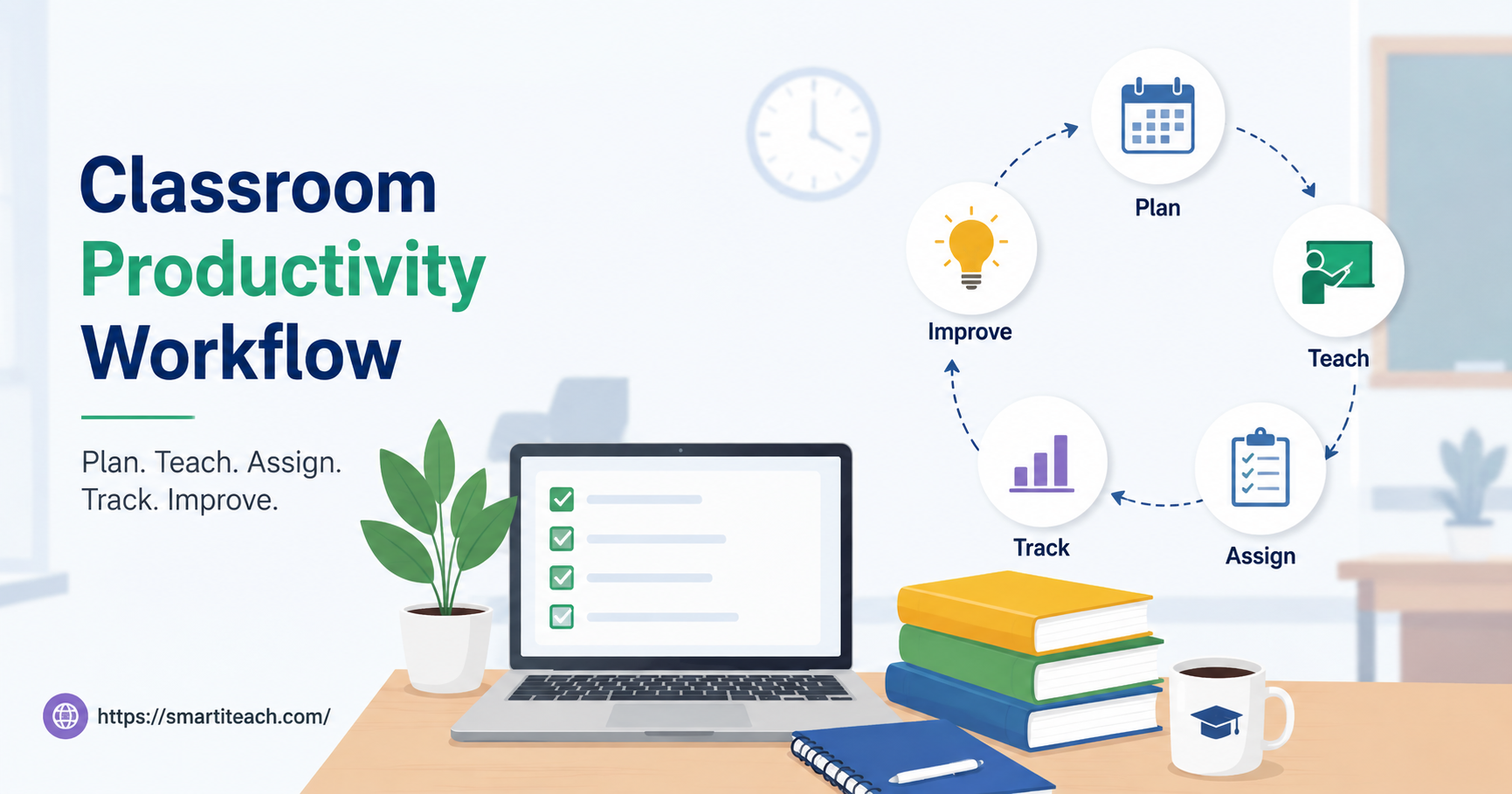
A workflow that works usually isn’t one app trying to do everything. It’s a few tools that talk to each other. AI-assisted grading handles the objective stuff multiple choice, short fill-in answers freeing up real time for the essay feedback that genuinely needs a human eye. Attendance can sync automatically with the school’s system instead of getting typed in twice. Template libraries handle the fiftieth “missing assignment” email so it doesn’t have to be written from scratch every time. Lesson plans get reused and adapted instead of rebuilt from zero each semester. And a dashboard somewhere shows, at a glance, which students actually need a follow-up conversation this week.
Connect those pieces and a teacher stops bouncing between five different tabs just to finish one task. Everything routes through something predictable instead.
Building It, One Piece at a Time
Start by tracking time honestly for three or four days. Just a simple log what am I doing, how long is it taking. This usually reveals something surprising, because the time-sink teachers assume is the problem often isn’t the real one.
Tackle whatever eats the most hours first. For most teachers that’s grading, so start there. AI tools handle multiple-choice and short-answer grading pretty reliably now, which frees up the energy for essay feedback the part that actually benefits from a teacher’s judgment and can’t really be automated well anyway.
Automate the repetitive emails next. Missing-assignment policies, test date reminders, the stuff that gets asked fifty times a semester templates handle this without losing the personal tone, since each one still gets a quick edit before sending.
Then centralize the lesson planning. A shared digital library sorted by unit saves entire weekends that used to go toward rebuilding materials from scratch every single term.
What Happens to Teaching Quality
When the admin pile shrinks, something interesting happens teaching actually gets better. A teacher who isn’t grading until midnight walks into the classroom with more energy the next morning. Lessons get real preparation instead of a rushed, last-minute assembly job. Kids notice, even if they couldn’t explain exactly why the vibe shifted.
Don’t Overdo It
Funny enough, some teachers pile on so many productivity tools that managing the tools becomes its own new burden. Two or three core tools, mastered well, beats seven half-used ones every time.
And resist automating everything just because it’s possible. Personalized feedback on a struggling student’s essay deserves a real human reading it closely. Automate the mechanical stuff. Protect the time saved for what actually needs a person’s judgment.
Revisit the setup every semester too what worked in September might feel clunky by January once class sizes shift or better tools show up. Treat it as something that evolves rather than something built once and forgotten.
A Classroom Productivity Workflow isn’t a magic fix. It’s just fewer hours lost to paperwork, and more left over for the reason most teachers got into this job in the first place.