
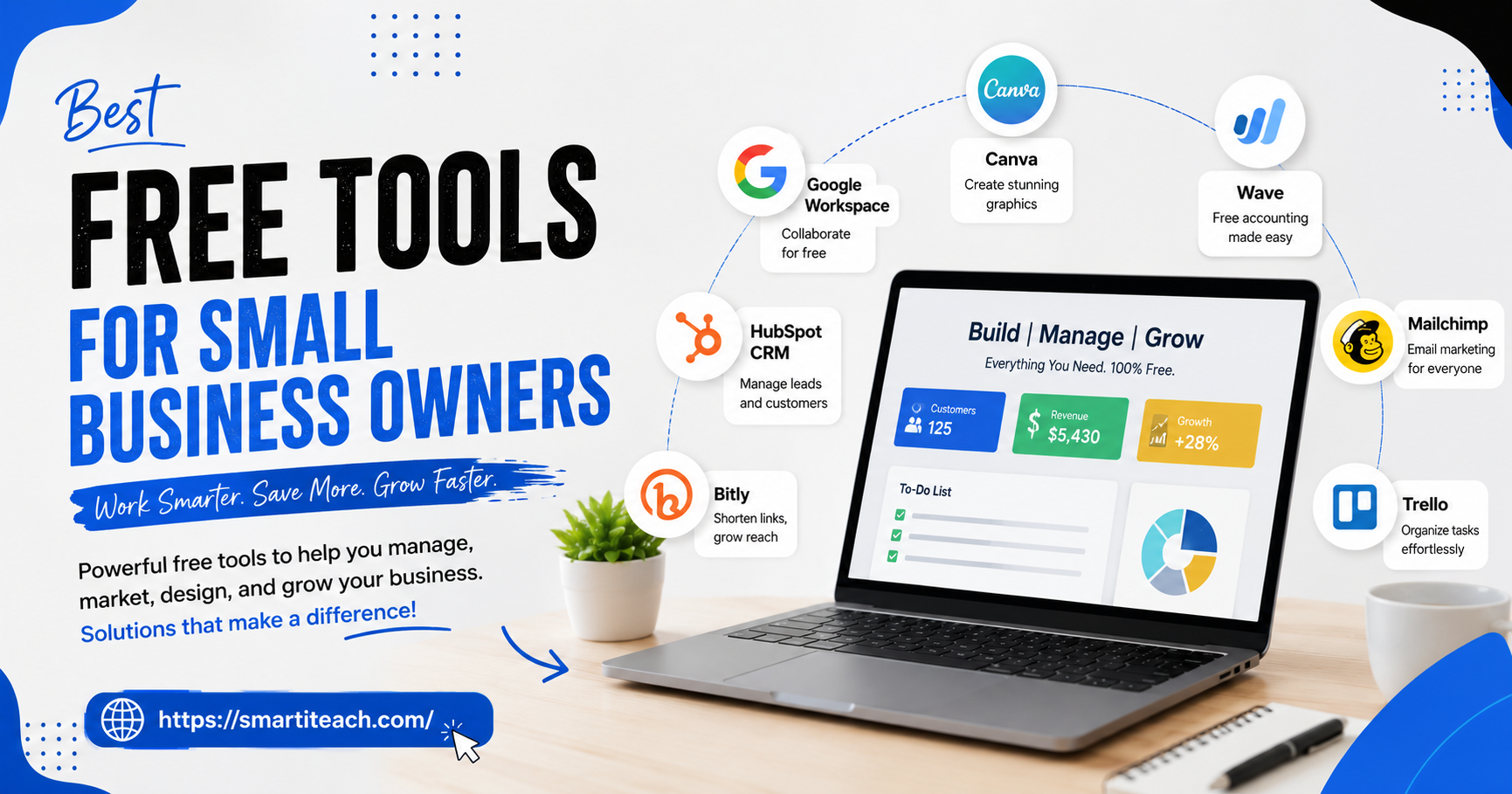

Somewhere between paying rent, restocking whatever you sell, and just trying to keep customers happy, there’s rarely much left over for software. And honestly, there doesn’t need to be. Most of what a small business actually needs to function has a free version now, a real one, not a seven-day trial dressed up as generosity.
I’m not going to pretend every free tool out there is worth your time. Half of them cap out the moment you’d actually rely on them. But a solid chunk aren’t like that at all, they’re what real business owners run on for years before ever paying a cent. Here’s what’s actually worth setting up.
Invoicing and Keeping Track of Money
Start here, honestly, even before marketing. If you’re still sending invoices as a Word doc attached to an email, or worse, tracking expenses in your head, that catches up with you. Usually right when tax season hits and you’re staring at a shoebox of receipts wondering where half the year went.
Wave does invoicing and basic bookkeeping for free, and there’s no cap on how many invoices you send, which matters a lot more once you’re not a one-client operation anymore. Zoho Invoice is decent too, free for up to a thousand invoices a year, with a client portal built in so people can see their payment history without emailing you asking. And if you’re genuinely just starting out, a Google Sheet works. Not glamorous, but it works, and plenty of businesses run on one for their first year before graduating to something proper.
PayPal’s worth mentioning too, mostly because you probably already have an account and don’t think of it as a business tool. Free to invoice through, free to receive payments, though they take a cut once money actually moves. Fine as a stopgap. Not great as a permanent system.
Whatever you pick, separate the business money from your personal money immediately. I cannot stress this enough. Untangling a year of mixed transactions later is miserable in a way that’s hard to explain until you’ve done it.
Showing Up When People Search Nearby
If people can physically walk into your business, or hire you for a job somewhere local, this next one might be the single best free thing on this whole list, and it gets skipped constantly.
Set up a Google Business Profile. It’s free, it puts you on the map, literally, and it’s how a huge chunk of local customers find businesses now instead of scrolling through search results. Fill it out properly, real hours, real photos, the right category, and actually respond to reviews when they come in. Businesses that keep this updated tend to climb in local search within a couple months. It’s not complicated. It’s just tedious enough that most owners set it up once and never touch it again, which is a shame because that’s exactly the part that matters.
Design Work Without a Designer on Payroll
Not every business can justify hiring a designer, or even paying a freelancer every single time a flyer or Instagram post needs to happen.
Canva’s free plan covers more than people expect. Logos, social graphics, presentations, even basic video edits. And the templates don’t scream “free tool” anymore the way they used to, that complaint is mostly outdated at this point. A lot of small businesses run their entire visual identity through Canva Free for years.
If what you actually need is a website rather than individual graphics, Wix lets you build one for free with drag-and-drop, no coding required. The free version gets restrictive if you want to sell products directly through it, but for something simple, an about page, contact details, maybe a portfolio, it does the job with zero monthly bill.
Email, Which Still Works Better Than People Expect
Email still outperforms most other marketing channels for small businesses, and unlike social media, it’s a channel you actually own. Nobody can change the algorithm on your own email list.
Quick heads up though, the free-tier landscape shifted recently. Mailchimp shrank its free plan down noticeably, fewer contacts, fewer sends, which pushed a lot of small businesses to look elsewhere. MailerLite and Brevo picked up a lot of that traffic, both offer free tiers generous enough to run a real newsletter for a year or two without paying anything. Benchmark Email’s another one worth a look, its free plan has stayed pretty solid.
Whatever you land on, set up one welcome email for new subscribers immediately. Just one. It sounds small but new subscribers engage with that first message way more than anything you send later, and getting it right early keeps paying off long after you’ve forgotten you set it up.
Keeping Track of Who You’ve Talked To
Once you’ve got more than a handful of clients, remembering who said what starts falling apart fast. That’s what a CRM is for, and no, you don’t need to pay for one starting out.
HubSpot’s free CRM handles contacts, deal tracking, basic email tracking, no price tag attached. It connects to a lot of tools you’re probably already using, which saves you from typing the same information into three different places.
Here’s the thing though, the habit matters more than the software. Logging a call right after it happens takes thirty seconds. Trying to reconstruct six months of client history from memory, right when a deal’s falling apart and you actually need that history, does not take thirty seconds. The owners who regret skipping a CRM always regret it at the exact worst moment. It’s never a quiet Tuesday when you wish you’d been logging things. It’s always the day something’s already going wrong.
AI Tools That Are Actually Free, Not Free-ish
This category’s changed more than anything else on this list in the last couple years, and it’s worth taking seriously even if you’re rolling your eyes at how overhyped it’s all been.
ChatGPT’s free tier handles a lot of everyday writing, emails, captions, first drafts of things you’d otherwise stare at a blank screen over. Claude tends to sound more like an actual person wrote it, less stiff, better at holding one consistent voice across something longer, which matters if you’re writing an about page or an email sequence that’s supposed to sound like you. Both are free to start. No credit card required for either.
What actually decides whether these tools help you or waste your time is how specific you get with them. “Write an email to my clients” gets you something generic you’ll rewrite anyway. Telling it exactly who the email’s for, what you want them to do, and what tone fits your business gets you something you can send with minor tweaks. The tool was never the bottleneck. Vague instructions are.
Also worth knowing about, Fireflies.ai has a free tier for meeting transcription and summaries, handy if you’re on enough client calls that manual note-taking is quietly eating your week.
Scheduling Without the Back-and-Forth
If your business runs on booked time, consultations, appointments, calls, manually coordinating that by text burns hours you genuinely don’t have.
Calendly’s free plan lets people book directly into your calendar, no back-and-forth required, and it handles time zones automatically, which matters more than you’d think once clients start showing up outside your immediate area. For service businesses where people show up in person, Square Appointments bundles scheduling, reminders, and payment processing into one free plan, useful if you’d rather not stitch two separate tools together just to get paid.
Staying Organized Without a Whole Department
Small businesses don’t need heavyweight project management software. But they do need somewhere that isn’t just sticky notes and half-remembered plans in your head.
Asana’s free plan works fine for small teams, task tracking, deadlines, a shared view of what’s actually happening. Notion’s different, more of an open workspace than a rigid tracker, and its free plan is generous enough that a lot of solo owners run their whole operation through it, notes, project tracking, even a basic CRM if you build one out yourself.
Neither is better exactly. Depends on whether you want structure handed to you or a blank page you shape yourself. I’ve seen both work fine, and I’ve seen both get abandoned within a month because nobody actually opened the app after week one. The tool doesn’t fix that. Only using it does.
Automating the Boring Repetitive Stuff
Eventually you’ll notice you’re doing the same task manually, over and over. Copying a new lead’s details from one place into another. Sending the same follow-up message every single time someone fills out a form.
Zapier connects tools you already use and automates that handoff. The free plan caps how many automations you can run per month, which is usually fine when you’re first figuring out where the repetition’s actually costing you time. Automate the one task that’s eating the most time first. Don’t try to automate everything at once, that’s how people end up with five half-built automations and no idea which one’s actually saving them anything.
The Trap Most People Fall Into
Here’s what actually goes wrong for a lot of business owners. They collect a dozen free tools because each one seemed useful on its own, then never really use half of them. That’s worse than just picking two or three and actually learning them properly.
Start with whatever’s costing you the most time or money right now. Invoicing’s a mess, fix that first. Nobody can find you locally, the Google Business Profile probably matters more than a fancy design tool ever will. Get one thing working well before adding the next.
Final Thoughts
None of this requires a software budget to run a small business properly. Invoicing, local visibility, design, email, customer tracking, scheduling, even AI-assisted writing, all of it has a free version that holds up to actual daily use, not just a trial period before the upsell hits.
The businesses getting the most out of these tools aren’t using the most of them. They picked a handful, actually learned them, and stuck with it long enough to notice the time it saved. Start with your biggest pain point. Build outward from there. And if a tool starts feeling like a chore instead of a shortcut, that’s usually a sign it’s the wrong fit for how you actually work, not a sign you’re using it wrong.



[…] buying gets pitched as an automatic win, but it only saves money if you’re not letting product expire or sit […]
[…] expect a lot now. They want a business to remember them, anticipate what they need, and not make them repeat their problem to three […]