
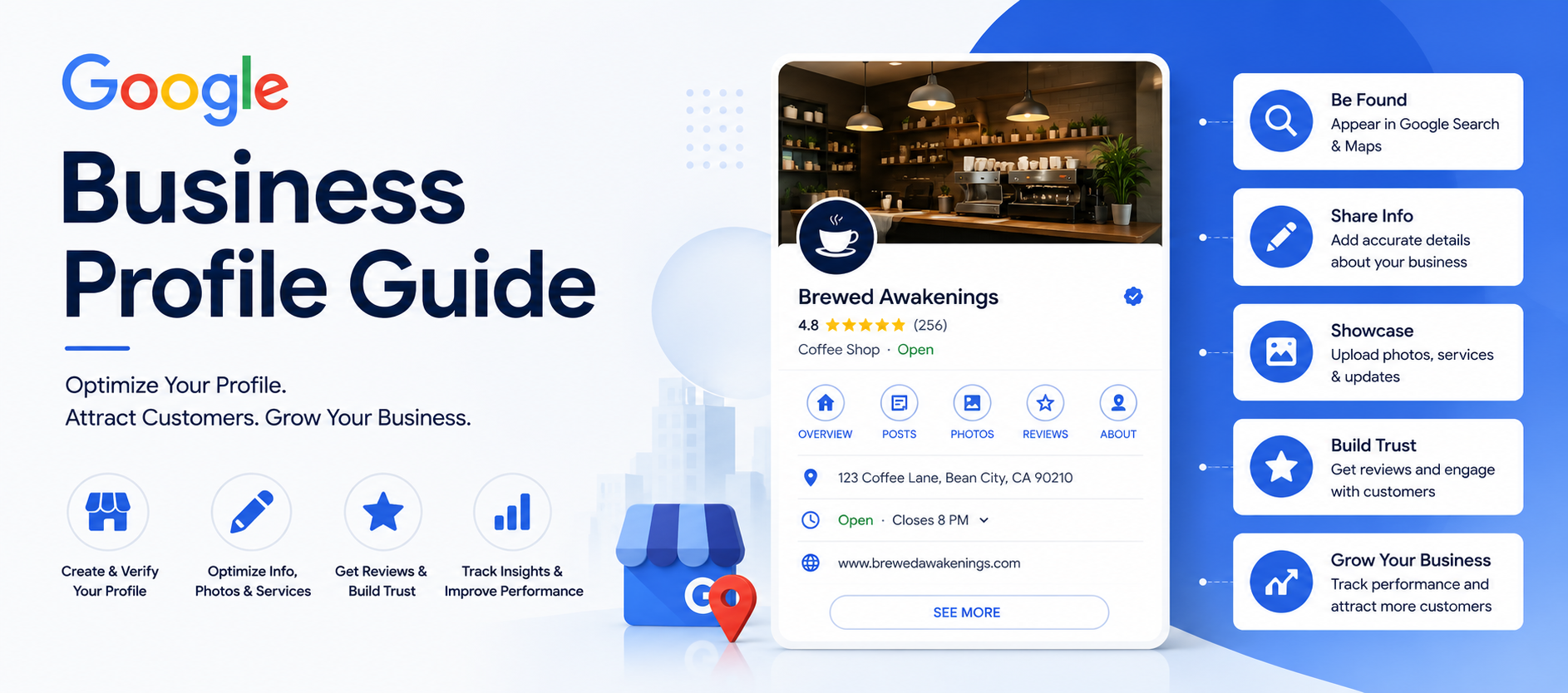

I’ve looked at a lot of Google Business profiles over the years, for my own stuff and for friends who run shops, salons, and small clinics. And honestly, most of them are half-finished. Not bad, just… unfinished. A phone number here, a category picked at random there, no photos since the grand opening. That’s the gap between showing up on Google and actually getting picked.
So let’s just talk about Google Business plainly, no filler, no “in today’s digital landscape” nonsense.
What Google Business Actually Is
Google Business Profile is the free listing Google gives you when someone searches your business name, or searches for something like “bakery near me” and your shop happens to be nearby. It’s the thing with the map pin, the star rating, the hours, the photos — all of it sitting right there on the search results page, sometimes before anyone even sees a website.
Older folks (myself included, half the time) still call it Google My Business. Google renamed it a while back, but the name change didn’t really change what it does.
Here’s the thing people miss though: it’s not just a listing. It’s more like an ongoing audition. Every day, Google looks at your profile next to every competitor near you and decides who gets shown first. Reviews, photos, activity, accuracy — it’s all part of that decision.
Why This Actually Matters for Your Business
Quick gut check. Next time you need a plumber or want tacos, do you scroll down to a website, or do you just tap one of the three listings under the map? Yeah. Most people never make it past the map pack anymore.
That’s the real estate Google Business controls, and it costs nothing to use.
There’s also a trust thing going on. A profile with fresh photos and a steady stream of reviews tells a stranger “this place is alive and people like it.” A profile frozen in 2021 with three reviews tells them the opposite, even if business is actually booming inside.
So no, this isn’t optional for a business that depends on local customers. It’s often the very first thing someone sees of you.
How to Set Up a Google Business Profile
Not complicated, but a few steps trip people up.
Go to Google Business Profile and sign in — use an account tied to the business itself, not your personal Gmail you might lose access to down the road. Search your business name first, because sometimes Google’s already auto-created a basic listing from public data, and you just need to claim it rather than start fresh.
Type your business name exactly as it appears on your sign outside. Not “Mike’s Pizza – Best Pizza Chicago.” Just “Mike’s Pizza.” Google penalizes keyword stuffing in the name field now, sometimes with a suspension, so don’t get cute with it.
Pick your primary category carefully — this one field quietly controls a huge chunk of what searches you’ll ever show up for. Add your address or service area, your phone number, your website, and then verify. Verification usually happens by postcard, sometimes phone, sometimes video, depending on the business.
Until that verification goes through, don’t expect much movement. Ranking barely happens for unverified profiles.
Getting Your Google Business Profile to Actually Rank
Getting listed and getting found are two completely different games.
Categories
Pick the most specific, accurate category, not the broadest one. “Coffee shop” and “cafe” sound the same to us, but Google treats them differently under the hood. Look at what your top-ranking competitors picked and use that as a reference point.
The Description
Write it like a person, not a brochure. Skip “committed to excellence” and “customer satisfaction is our priority” — nobody’s searching for that. Say what you actually do. Mention the 48-hour dough proof, the same-day repairs, the fact you’re open till 2am on weekends. Specific beats polished every time here.
Photos
Upload real ones. Your storefront, your staff, your food, your workspace — not stock photos, not a logo sitting alone. Listings with recent photos get noticeably more clicks and direction requests than the ones that look untouched. And keep adding new ones. A profile with photos from three years ago reads as abandoned, even if your Instagram’s active daily.
Hours
Keep them right. This sounds like a throwaway point but it isn’t — “drove there, they were closed” is one of the most common one-star review triggers out there, and it has nothing to do with your actual service. Update for holidays the moment you know, not the week after.
Posts
Google lets you publish little updates directly on your profile — offers, events, new stock. Barely anyone uses this. Which is exactly why using it consistently makes you stand out. Five minutes a week, and your profile looks alive instead of dormant.
Questions and Answers
That Q&A box is public. Anyone can post a question or an answer, including people who’ve never set foot in your place. Don’t leave it empty for a stranger to fill in badly. Go seed it yourself with the stuff you get asked constantly — parking, walk-ins, payment methods, whatever it is for your business.
Reviews Matter More Than Everything Else Combined
If you only fix one thing after reading this, make it reviews.
They shape rankings. They shape trust. They’re often the deciding factor between someone calling you or the next listing down.
A few real truths here. Recent reviews count more than old ones — a business with 200 reviews from five years back and silence since looks weaker than one with 40 trickling in monthly. Reply to every review, good or bad. Not just for manners’ sake — it visibly shows both future customers and Google that someone’s actually running the show. A calm, thoughtful reply to a bad review often builds more trust than a stack of five-star reviews with zero responses.
Don’t ever fake or buy reviews. It’s tempting early on when the shelf looks empty, but Google’s gotten good at spotting it, and getting caught can wipe out the whole profile — a much bigger loss than a slow few months of honest growth.
And make it easy for happy customers to leave one. Most won’t unless asked, and even then, a direct link sent right after a good interaction works far better than a vague “please review us” text sent two weeks later.
What Google Is Actually Judging You On
Three things, roughly: relevance, distance, prominence.
Relevance is how well your profile matches the search — categories, description, services list, all doing their job. Distance is just physical closeness to whoever’s searching. Prominence is the fuzzy one — your reviews, your general reputation, how filled-out your profile is, how known you are online and off.
You can’t touch distance. Relevance and prominence, though, are almost entirely yours to control, which is exactly why the boring optimization work pays off.
Mistakes That Quietly Wreck a Profile
A short list, but a common one:
Using a fake address or a P.O. box to try to rank outside your real area — against Google’s rules, and it can get you suspended. Stuffing keywords into the business name. Leaving the services or products section blank when it’s an easy win. Ignoring the Insights tab completely, which tells you exactly how people found you and what they searched. Letting duplicate listings sit around after a move or rebrand, splitting your reviews across two profiles and confusing everything.
Using Insights Instead of Guessing
Inside the dashboard there’s a performance section — shows whether people found you through direct search or discovery search, what they actually typed, how many called, requested directions, or clicked to your website, and roughly where they’re coming from.
This is where you stop guessing. Heavy discovery traffic means your categories and description are doing their job. High calls but low website clicks might mean your site link needs a stronger nudge. Checking this once a month tells you more than posting blind ever will.
How Long This Actually Takes
Not instant, and I won’t pretend otherwise. A brand-new profile with zero reviews starts from nothing, and it usually takes a few weeks to a few months of steady effort — reviews rolling in, photos added, posts going out — before rankings really move.
An older, already-set-up profile can move faster, sometimes in a couple of weeks, just from cleaning up categories and pushing for a batch of fresh reviews.
The businesses that treat this like an ongoing job instead of a one-time setup are the ones that end up owning their local map pack.
Last Word
Google Business isn’t a side task to tick off once. For most local businesses, it’s the first real impression someone gets of you, often before they ever see your website or walk through your door. Fill it out properly, keep it current, keep the reviews coming, and it keeps doing its job — putting you in front of the people already looking for exactly what you do.



-
-
-
-
-
-
Show Comments[…] score, personal and often business too, gets pulled early. Time in business matters more than people expect, plenty of lenders simply won’t lend to anything under two years old, […]
[…] Experience comes from doing the thing badly first. You price something wrong, someone tells you, you fix it. You write a product description that nobody reads, you rewrite it, more people read it. You mess up a client’s first project slightly, you apologize, you do the next one better. That’s it. That’s the entire mechanism behind literally every person you admire online. […]
[…] fixed monthly fee for ongoing work, or just ongoing availability. Freelancers who’ve been at this a while tend to gravitate here, mostly because it smooths out the feast-or-famine […]
[…] are a lot more comfortable now hiring remote help instead of bringing someone on full time. People book stuff online without thinking twice, which wasn’t really true a few years ago. And half the tools that […]
[…] tomorrow. Not “this week.” The day the work is done. A lot of companies only run payments on certain days of the […]
[…] client I worked with years ago, small marketing agency, lost their biggest account and didn’t see it coming. Not even a little. The client had been […]