
Introduction
If you’ve ever searched for a program to install on your PC, there’s a good chance you’ve come across filehippo.com. It’s one of the longer-running software download sites on the web, known for its large catalogue of Windows applications, straightforward download pages, and version history for popular programs. But with so many download sites out there—some safe, some not—it’s fair to ask what FileHippo actually offers and whether it’s worth using.
This guide covers what filehippo.com is, how it works, what makes it useful (or not) for different users, and how to download software safely. Whether you’re a casual user looking for a free media player or someone who needs an older version of a program for compatibility reasons, this article covers what you need to know before you click download.
What Is FileHippo.com?
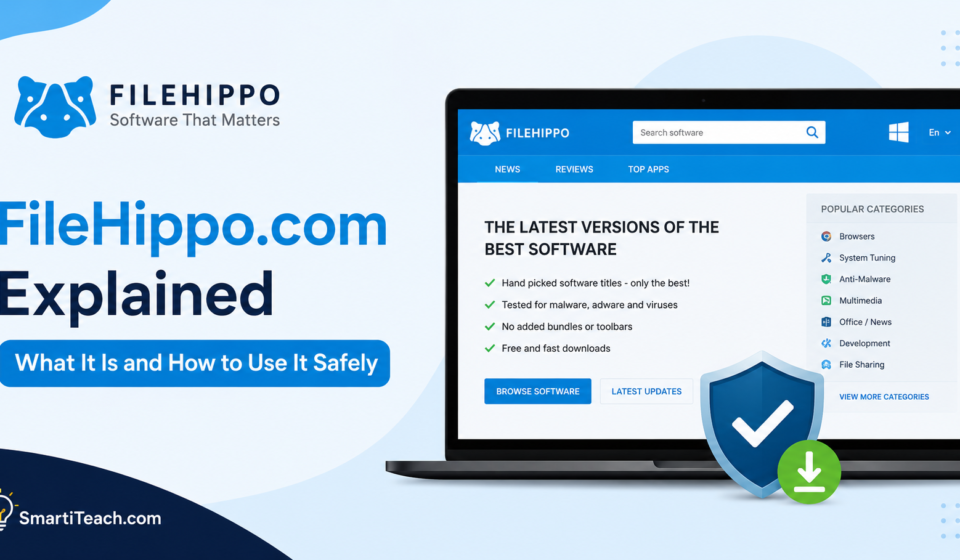
FileHippo.com is a software discovery and download portal that hosts installers for Windows applications, along with sections for Mac, Android, and web apps. It organises software into categories such as browsers, security tools, multimedia, office software, games, and system utilities, making it easier to browse by need rather than search for exact program names.
One thing that sets FileHippo apart from many download sites is its emphasis on version history. Instead of only offering the latest release of a program, many listings include older versions as well. This is useful for people who need to roll back an update, match a specific version required by their workplace, or run software on an older operating system that a newer release doesn’t support.
FileHippo is part of Softonic’s group of software platforms, alongside sites like Appvizer and Ghacks, which gives it access to a broader infrastructure for hosting and maintaining its catalogue.
Why Does FileHippo Matter for Everyday Software Downloads?
Finding software safely is more complicated than it should be. Search engines often surface cluttered pages, fake “download” buttons, or bundled installers that add unwanted toolbars and browser extensions. A site like FileHippo aims to simplify that by curating listings, showing file size and system requirements upfront, and linking more directly to the program you’re actually looking for.
For IT professionals and enthusiasts, the value goes further. Being able to grab a specific older version of a program — say, a legacy version of a design tool that a client still uses — can save real time compared to digging through a developer’s own archive or a forum thread hoping someone attached the right installer.
How Does FileHippo Work?
Using FileHippo follows a fairly simple pattern, but understanding each step helps you avoid common mistakes.
Step One: Search or Browse for the Software
You can either use the search bar to look for a specific program by name or browse by category if you’re not sure exactly what you need. Categories are organised by platform (Windows, Mac, Android, Web Apps) and then by type, such as “Multimedia” or “Security & VPN.”
Step Two: Review the Listing Details
Each software listing typically includes the current version number, file size, supported operating systems, a brief description, and often a changelog or release notes. This is the point to double-check that the version and system compatibility match what you actually need — especially important if you’re installing on an older machine.
Step Three: Download and Verify Before Installing
After selecting download, the file will download directly. Before running any installer, it’s good practice to check the file against your antivirus software, confirm the publisher matches what you expected, and pay close attention to the installation wizard. Some installers bundle optional extra software, and skipping through the setup screens too quickly can mean accepting offers you didn’t intend to install.
What Are the Main Benefits of Using FileHippo?
Version history access. The ability to download older program versions is one of FileHippo’s most practical features, particularly for troubleshooting, compatibility testing, or supporting legacy systems.
Organised categories. Software is grouped in a way that makes browsing manageable, rather than presenting one giant, unsorted list.
No mandatory account creation. You can search for and download most software without registering an account, which keeps the process quick for casual users.
Clear programme details. Listings generally include enough information — file size, version, supported OS — to help you decide whether a download is right for your setup before you commit to it.
Long-standing catalogue. Because the site has operated for many years, its catalogue includes a wide range of both current and legacy software, which newer download sites often lack.
What Problems or Mistakes Should You Avoid?
Downloading without checking the version number. It’s easdownload the latest version of a program byut of habit, even when an older one is what you actually need for compatibility. Always check the version listed against your requirements before downloading.
Rushing through the installer. Many software installers include optional add-ons, toolbars, or trial software bundled in. Reading each screen during setup and unchecking anything you don’t want takes a few extra seconds but prevents unwanted clutter later.
This assumes that every third-party mirror is identical. When a program has multiple download options or mirrors, file integrity can vary. Sticking to the primary download link on the listing page reduces the chance of getting an altered or outdated file.
Ignoring your antivirus software. No download site can fully guarantee that every file is free of tracked issues at all times. Running a quick antivirus scan after downloading, before installing, is a simple habit that adds a layer of protection regardless of the source.
Not checking system requirements. Installing software that isn’t built for your operating system version can lead to crashes or incomplete functionality. The listing details usually make compatibility clear, so it’s worth a quick read before downloading.
How Can You Get Better Results When Using FileHippo?
To get the best results from any software download site, you need to develop a few consistent habits rather than rely on any single trick.
Start by knowing exactly what you need — the specific programme name and, if relevant, the version — before you start browsing. This avoids the temptation to download the first similar-sounding program that appears in search results.
Keep your operating system and antivirus software updated, since the state of your system affects how safely any downloaded program will run regardless of where it came from. Pair this step with checking listing details like publisher name and release date, which helps confirm you’re looking at a legitimate, current entry rather than an outdated or mislabeled one.
Finally, if you’re downloading software for a workplace or shared computer, check with your IT policies first. Some organisations restrict installing software from outside approved channels, even from reputable download sites.
Frequently Asked Questions About FileHippo.com
Is FileHippo.com safe to use?
FileHippo is a long-established software download site that has operated for many years and is part of the Softonic group of platforms. As with any download site, it’s still good practice to scan downloaded files with antivirus software and pay attention to installer prompts, since bundled offers can appear in some installers regardless of the hosting site.
Does FileHippo require me to create an account?
No, most downloads on FileHippo can be completed without registering an account. This makes it quick to find and download software for one-off needs.
Can I download older versions of software from FileHippo?
Yes, this option is one of the site’s more distinctive features. Many program listings include a version history, allowing you to download earlier releases when needed for compatibility or troubleshooting purposes.
Does FileHippo support Mac and Android downloads?
Yes, alongside its Windows catalogue, FileHippo has dedicated sections for Mac, Android, and web apps, though its Windows library is generally the most extensive.
Why might a program on FileHippo look different from the developer’s official site?
FileHippo curates and formats listings, so the presentation, description, and available versions may differ from what you’d see on a developer’s own website. The underlying installer should still come from the legitimate publisher, but it’s worth double-checking the publisher name on the listing if you want extra confidence before downloading.
Final Thoughts
FileHippo.com remains a practical option for anyone who needs to browse, compare, and download Windows software without navigating cluttered or unreliable sites. Its organised categories and version history make it especially useful for users who need more than just the latest release of a program.
As with downloading software from any source, a few consistent habits — checking version and system compatibility, reading installer prompts carefully, and running an antivirus scan — go a long way toward keeping your downloads safe and your system running smoothly.